Installation on the PC
- Download from Microsoft Store
- Open and allow network connections (if a window appears requesting this permission)
Minimum hardware:
Processor: 2.2GHz
Memory: 4 GB RAM
Installation on the Mac
- Download from Mac App Store
- Open and allow (if a window appears asking for permission)
Connect the Rabbit
- Install and open the Rabbit Rally 2.0 app on your mobile phone or tablet (Android and iOS)
- Connect your Rabbit device to same wifi network
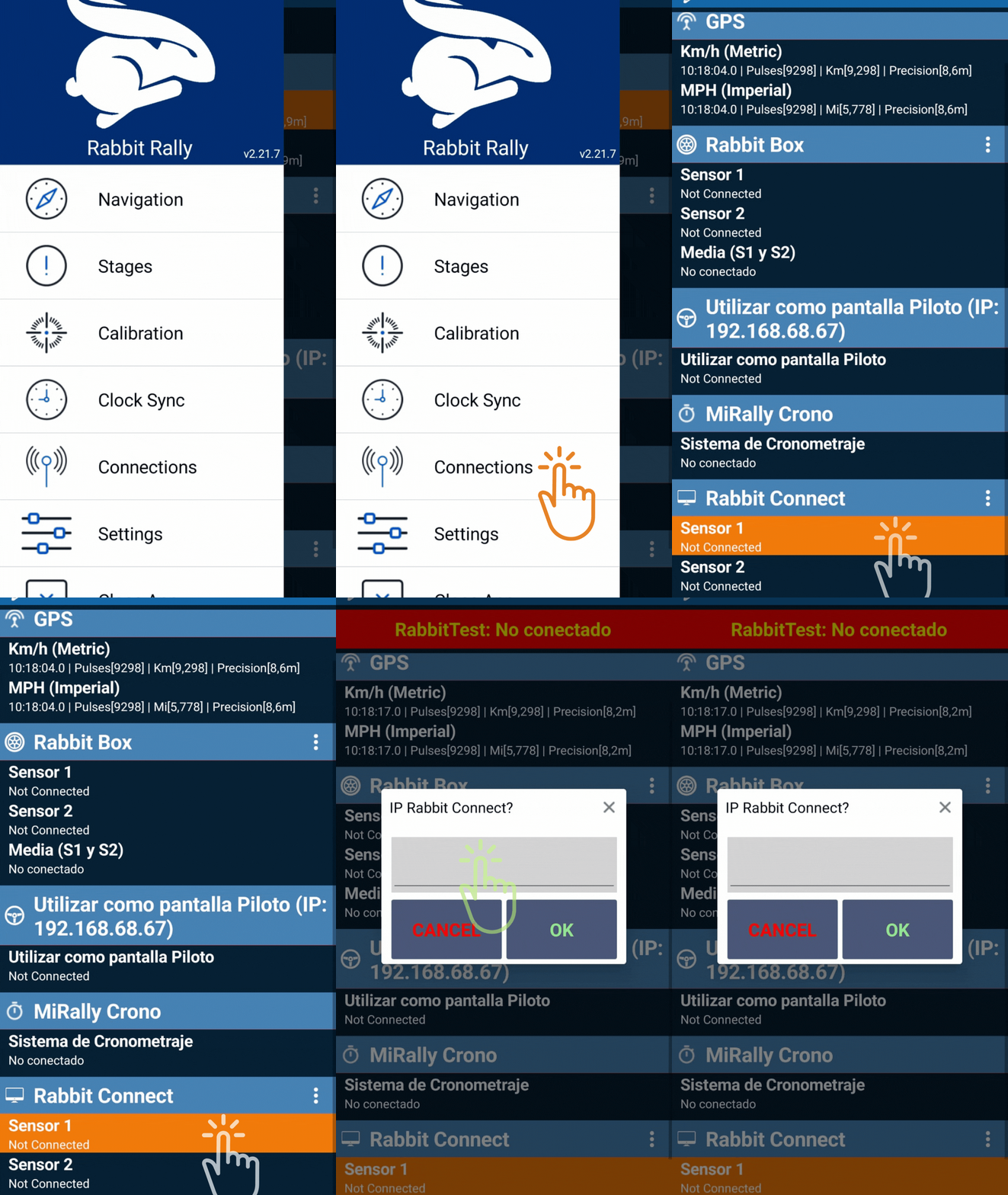
- Open Rabbit Rally2.0 app
- Go to Connections screen
- Scroll down to Rabbit Connect
- Click Sensor 1
- Enter the IP indicated in the PC screen
- This alert will disapear when connected
- BEGIN the game and have fun!
Enter our Rabbit Virtual 2 Support and News group (Telegram): https://t.me/+6vnBwsnhW8gzZmZk


